

If you’ve been curious about AI prompts but secretly assumed they’re either too “techy” or only useful for people who live in spreadsheets, I get it. I thought the same thing—until I realized AI isn’t the point. Relief is.
Picture a normal morning: you’re up, coffee in hand, and somehow your brain is already running at 92 tabs open. There’s the email you can’t ignore, the meeting you forgot to prep for, the laundry you meant to start last night, and the low-grade anxiety of “what are we eating later?” humming in the background. Nothing is that hard… but it’s all constant. And that constant is what wipes you out.

The real problem isn’t your workload—it’s the micro-decisions
Most modern burnout doesn’t come from one dramatic crisis. It comes from a thousand tiny moments of friction:
- re-reading the same email thread to figure out what someone is actually asking
- staring at your to-do list without knowing where to start
- opening an article “just to skim” and losing 20 minutes
- trying to plan dinner with the ingredients you think you have
- rewriting a message five times because you want to sound clear, friendly, and not slightly annoyed
That’s not a character flaw. That’s just a brain doing too much coordination.
And the thing no one tells you is: the mental load isn’t only the tasks. It’s the management layer wrapped around the tasks—prioritizing, translating, summarizing, organizing, deciding. Those are real forms of labor, and they’re especially heavy when you’re doing them alone (which a lot of women are, even when they’re not technically “alone”).
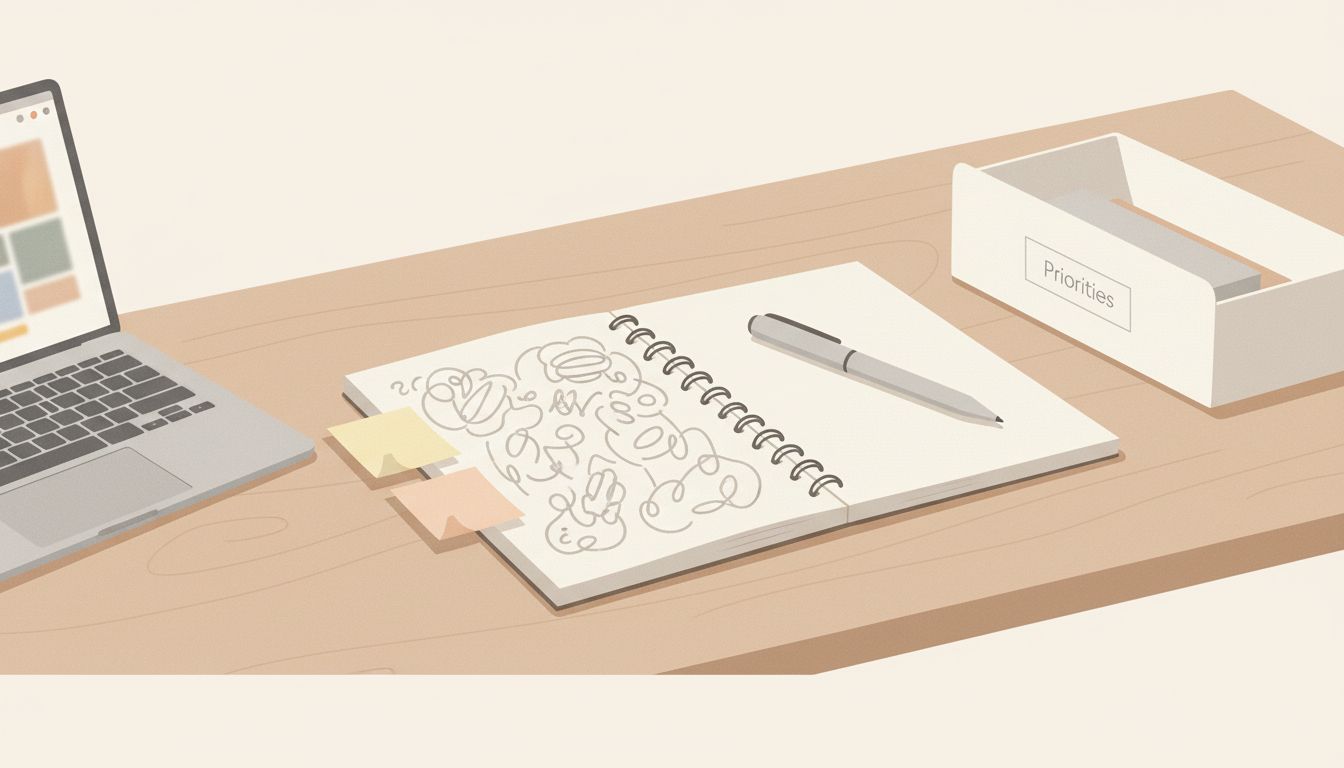
Why AI helps in a way typical “productivity hacks” don’t
A lot of productivity advice assumes you need to become a new personality: wake up at 5 a.m., drink green juice, time-block your life into color-coded boxes, never feel messy again.
But what we actually need is simpler: fewer pointless drains on attention.
That’s where AI prompts come in—not as a way to “do more,” but as a way to stop spending your best energy on the most disposable parts of the day. Think of AI as a smart assistant for the annoying in-between steps: turning a brain dump into a plan, turning a long article into the key ideas, turning “what should I cook?” into a short list you can actually act on.
Not grand transformation. More like… friction removal.
“Clarity isn’t about having fewer responsibilities—it’s about having fewer loose ends in your mind.”
The core system: a prompt for each daily pressure point
The easiest way to make AI feel calm (not like yet another app you “should” use) is to tie it to predictable moments of stress. Most days, the same categories show up:
- starting your day (priorities)
- learning something quickly (summaries)
- feeding yourself (meals + groceries)
- untangling thoughts (brain dumps)
- communicating without overthinking (drafting messages)
Once you match a simple prompt to each category, AI stops being a novelty and starts being part of your personal operating system.
Here are the five prompts I lean on because they’re practical, copy-paste simple, and they target the exact places time quietly evaporates.
Prompt #1: “Plan my day” (for the morning overwhelm spiral)
This is for the moment you look at your list and your brain goes blank.
Use this AI prompt:
“Create a simple plan for today from this task list. Choose the 3 most important tasks and suggest an order.”
How it helps (in real life):
Without a plan, you’ll default to whatever feels easiest to start—often email, admin, tidying, “just checking” messages. You end up busy, but not satisfied. This prompt forces your day into a short sequence: three priorities, an order, and (quietly) permission to ignore the rest for now.
Smart-friend tip: Paste the messiest version of your list. Don’t curate it. Include “call dentist” right next to “finish proposal.” The AI will sort the chaos faster than your perfectionism will.
Where to run it: ChatGPT, Claude, Gemini—any of them. If you want it to become a real habit, do it in the same place every day (like the ChatGPT mobile app while you’re still in bed, or on your laptop before you open email).
Prompt #2: “Summarize faster” (for the article/newsletter rabbit hole)
Your curiosity is a strength. The problem is the internet is designed to eat it.
Use this AI prompt:
“Summarize this article in 5 bullet points. Focus on the most useful ideas.”
How it helps:
This is the antidote to reading 2,000 words, getting interrupted, and walking away with “wait… what was the point?” You still get the value, without the time sink.
Smart-friend tip: If you’re using summaries for work or research, add one line:
- “Include any action steps or frameworks mentioned.”
Or, if you’re trying not to overconsume content: - “Tell me whether this is worth reading in full—and why.”
Suddenly you’re not just summarizing; you’re making a decision with support.
Prompt #3: “Meal planning” (for decision fatigue at 6 p.m.)
This one is embarrassingly powerful. Not because meal planning is hard, but because daily food decisions are relentless.
Use this AI prompt:
“Create a 5-day simple dinner plan and add a grocery list.”
How it helps:
This removes the “stare into fridge → feel nothing → order something” loop. You get a weeknight-friendly plan and a list you can actually shop from. Even if you don’t follow it perfectly, it gives you a default path—which is the real gift when you’re tired.
Smart-friend tip: Give it constraints so it doesn’t suggest fantasy meals:
- “Keep dinners under 25 minutes.”
- “Use a rotisserie chicken once.”
- “Avoid eggs / dairy / gluten” (whatever applies)
- “Repeat ingredients so I don’t buy a million things.”
This is also where AI starts to feel like it’s giving you mental space, not “optimizing” you.

The tools that make this feel effortless (not like a new project)
You don’t need an elaborate setup. In fact, the more “lightweight” you keep this, the more likely you’ll actually use it on a Tuesday when you’re stressed.
A few realistic options:
- ChatGPT: easiest all-around. Great for quick planning, summaries, and message drafts. The mobile app is especially useful for on-the-go brain dumps.
- Claude: feels calmer for planning and organizing thoughts—often a little better at nuance and tone.
- Gemini / Copilot: helpful if you live in Google/Microsoft ecosystems and want the AI to play nicely with your calendar or email context.
If you’re already in a notes app all day (like Apple Notes, Google Keep, or Notion), you can keep a simple running page called “My Go-To AI Prompts” and copy/paste from there. The goal is to remove your friction, too.
A simple way to make AI prompts part of your day (without thinking about it)
The secret is not using AI for everything. The secret is using it for the same few moments—every time those moments show up.
For example:
- Morning (2 minutes): Prompt #1 to pick your top 3 and stop the spinning.
- Midday (as needed): Prompt #2 when you’d normally “just skim” and lose time.
- Late afternoon/evening (5 minutes): Prompt #3 before you hit full exhaustion.
That alone can carve out real time—not because you worked faster, but because you spent less time stuck in the gluey parts of the day.
And once you feel that difference, it becomes much easier to trust the next layer of support: using AI to untangle the stuff that isn’t a task yet—just a crowded mind. That’s where the next prompt comes in, and it’s the one I use any time my thoughts start to feel like a messy junk drawer…
Prompt #4: “Organize my thoughts” (for the junk-drawer brain)
This is for the days when you’re not behind on tasks—you’re behind on clarity. You have half-formed ideas, sticky notes, tabs, voice memos, and that low-level tension of “I’m forgetting something.”
Use this AI prompt:
> “Turn this brain dump into: tasks, ideas, and things to schedule. Then suggest the next 3 best actions.”
How it helps:
A brain dump is emotional relief… until it becomes just another pile. This prompt gives your thoughts containers:
- Tasks = things you can do in one sitting
- Ideas = things you’re not acting on yet (and don’t need to)
- Things to schedule = anything that requires time, a person, or a deadline
Smart-friend tip: End your brain dump with one line that tells the AI what kind of day you’re having. It changes everything.
- “I’m tired—keep this very simple.”
- “I have 45 minutes of focus right now.”
- “I’m anxious—prioritize what reduces stress fastest.”
A real example you can copy:
> “Brain dump: Reply to Sara about Saturday. Need to reschedule dentist. Groceries. Finish slide deck. Call mom. I keep thinking about switching roles at work. Also I haven’t worked out in two weeks and I feel gross. Organize this into tasks/ideas/schedule and give me the next 3 actions for a low-energy day.”
What you get back (ideally) is a gentle, usable mini-plan—without you having to mentally triage everything yourself.
Prompt #5: “Draft messages” (for the emotional labor of sounding ‘just right’)
If you’ve ever spent ten minutes rewriting a two-sentence text… you’re not alone. Communication takes energy, especially when you’re trying to be clear, kind, professional, and not accidentally passive-aggressive.
Use this AI prompt:
> “Write a short and friendly reply to this message. Keep it clear, polite, and confident.”
Even better: give it your intent + boundaries. AI is most helpful when it knows what you’re trying to do, not just what you’re responding to.
- “I want to say no, but keep the relationship warm.”
- “I need clarification without sounding annoyed.”
- “I can do this, but not by that deadline.”
Two templates that save serious energy:
1) The “friendly-no”
> “Draft a kind reply declining this request. Keep it warm, brief, and not over-explanatory. Offer one alternative if appropriate.”
2) The “clarify + move forward”
> “Draft a reply asking for clarification. Include 2–3 specific questions and a proposed next step.”
Smart-friend tip: If you’re worried about tone, add: “Give me three versions: extra warm, neutral, and very direct.” Then choose the one that matches your capacity that day.

How to build an “AI prompts” routine that actually sticks
The difference between “This was helpful once” and “This quietly changes my life” is a tiny system you can repeat when you’re busy and your brain is full.
Here’s one that works because it’s light: one prompt per moment. You’re not adding a habit; you’re replacing a friction point.
- Morning (2 minutes): Plan my day → top 3 + order
- Midday (as needed): Summarize faster → decide if it’s worth your time
- Late afternoon (5 minutes): Meal plan → default dinner path
- Anytime you feel “spun up” (3 minutes): Organize my thoughts → containers + next actions
- Whenever you’re retyping (2 minutes): Draft messages → clear + confident communication
The “Prompt Bank” trick (so you’re not reinventing the wheel)
Create one note called Prompt Bank. That’s it. Put your five go-to prompts in it, exactly as you like them, so you’re never staring at a blank chat box thinking, “Wait… what do I even ask?”
If you want to make it even easier, organize it by mood:
- When I’m overwhelmed: “Pick my top 3 and give me a first step for each.”
- When I’m tired: “Make this the simplest version that still counts.”
- When I’m anxious: “What would reduce stress fastest today?”
Make the output usable (not aspirational)
Sometimes AI gives a plan that’s technically fine… but not realistic for your actual life. A small tweak makes it feel like support instead of pressure.
Add one line to any prompt:
- “Assume I have two hours of deep focus total.”
- “Keep tasks to 15–30 minute chunks.”
- “Include a minimum viable version of each task.”
That last one is especially calming. Minimum viable isn’t lazy—it’s how you keep promises to yourself when life is full.
Guardrails: how to use AI without creating more mental clutter
AI should reduce your decision fatigue, not become a new source of “options.” A few simple guardrails keep it in the helper lane.
- Keep it small: Use AI for repeatable friction (planning, summarizing, drafting), not for every life decision.
- Ask for fewer choices: “Give me two options, and recommend one.”
- Use it to close loops: If you’re using it and still feeling scattered, end with: “What are the next 3 actions?”
- Don’t outsource your values: AI can help you plan, but you decide what matters.
And a gentle reminder: don’t paste sensitive personal information into tools you don’t fully trust. You can still get the benefits by generalizing details (names, numbers, private context) and keeping the structure intact.
Small systems don’t just save time—they give your mind somewhere safe to put things down.
Conclusion: calm doesn’t come from doing more—it comes from carrying less
If your brain has felt like it’s holding up the whole day—planning, translating, remembering, deciding—you’re not failing. You’re doing a second invisible job: the management layer.
That’s why simple AI prompts can feel so relieving. Not because they magically fix life, but because they take a few of the heaviest “in-between” moments and make them lighter: a plan instead of a spin, a draft instead of a rewrite marathon, a dinner default instead of a daily debate.
Start with one pressure point. Copy-paste one prompt. Let it be imperfect but helpful. Calm living isn’t a personality trait—it’s a set of supports you build on purpose. And you’re absolutely capable of building those supports, one small system at a time.
If you’d like more visual walk-throughs and simple examples, there are additional resources available below.